Import your PDF
Open a PDF from Files or the system share sheet in ReflowPDF. Keep your source file for comparison.
PDF reading, explained
Reflow reorganizes text into lines that fit your screen. Instead of making an entire page larger, it gives the words a new reading layout.
iPhone and iPad · iOS/iPadOS 26 or later. Three standard documents can be fully processed free; full large-document processing and export require Lifetime unlock.
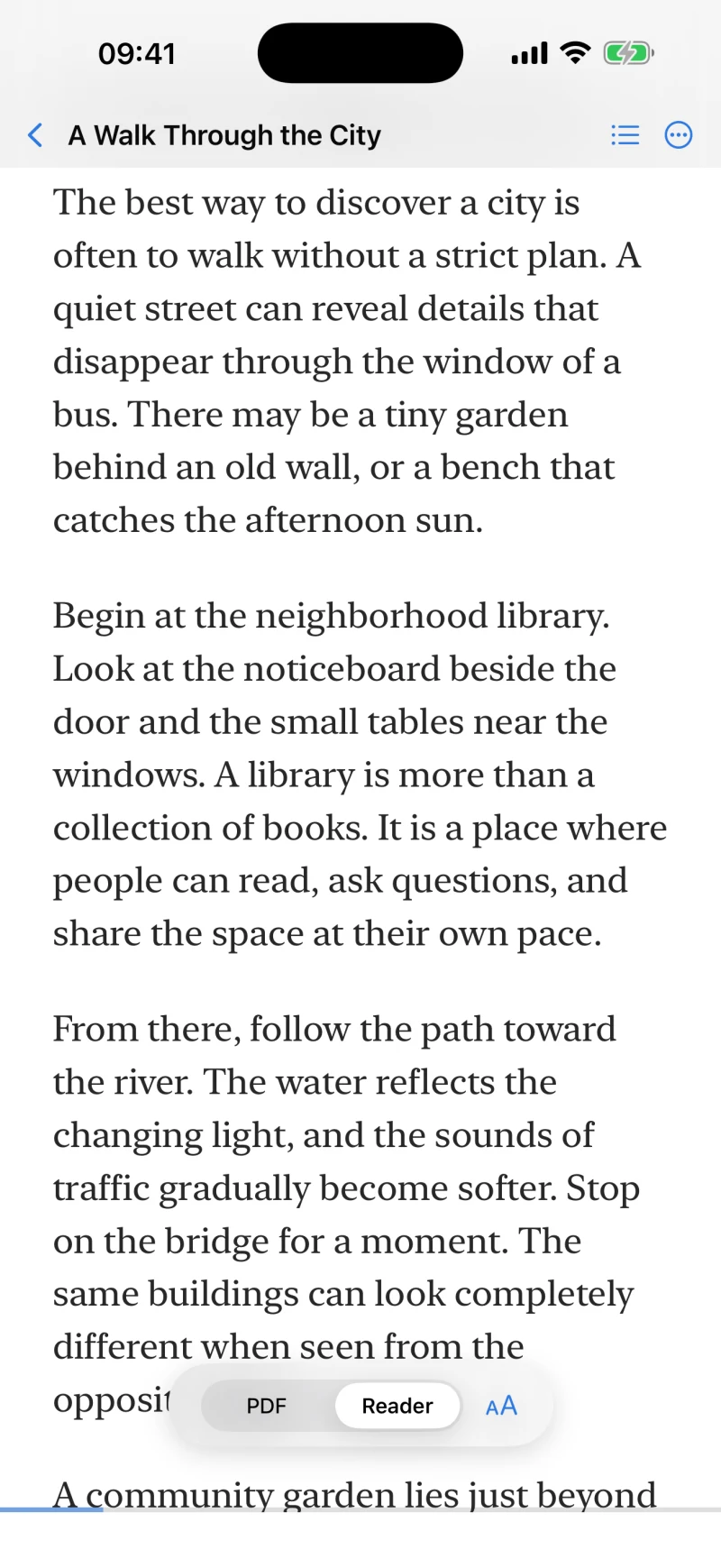
A PDF usually keeps the positions of text and images fixed, much like a printed page. On a small screen, making its text larger can also make the page wider than the display. You then have to move left and right to finish each line.
In a reflowed reading view, the available width determines where lines wrap. You can adjust the text size and keep scrolling vertically. The original page remains useful for checking an illustration, a citation or the placement of a table.
For a scanned PDF, the words are part of a page image. OCR first recognizes those words. Reflow is the next step: arranging the recognized text for reading. A PDF that already contains usable text may not need an OCR pass.
These are actual screens from the same image-only sample in ReflowPDF 1.4. The short essay was written for this demonstration.
Original PDF view
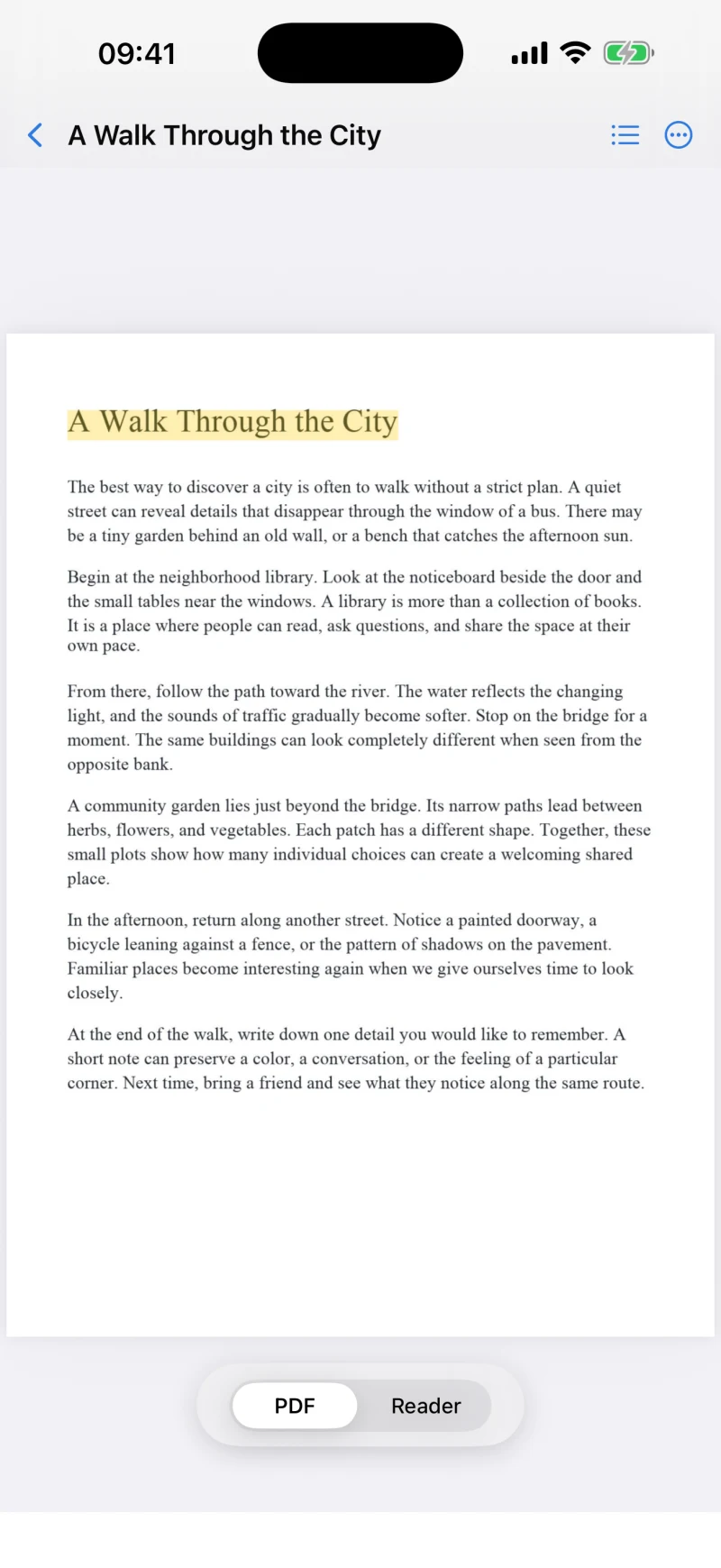
Reader Mode
Try the same one-page scan. Download the original sample, import it from Files, and compare the two views. Processing it uses one free standard-document slot if you have not unlocked Lifetime.
Download the sample PDF (263 KB)| Approach | What it does | Useful when |
|---|---|---|
| Zoom | Makes the whole page larger without changing line breaks. | You want to inspect the original layout or a diagram. |
| OCR | Recognizes text in page images. | A scan has words you cannot select or search. |
| Searchable PDF | Adds recognized text while keeping the original page appearance. | You want to find a phrase in a saved PDF. |
| Reader reflow | Arranges text for the screen with adjustable type and spacing. | You want to read without repeatedly zooming and panning. |
ReflowPDF's Reader Mode is a reading view. It does not turn the original file into an editable Word document or an EPUB ebook. For a saved text layer, use the searchable PDF export guide.
Recognition time varies with the document and device. Start with a short, clear scan to check the result.
Open a PDF from Files or the system share sheet in ReflowPDF. Keep your source file for comparison.
Start text recognition, then select Reader when text is available. OCR and document processing run on your device.
Use the reading settings to adjust font size, typeface, line spacing and theme. Switch back to PDF when you need to check the page.
For the complete import and reading walkthrough, see how to read scanned PDFs on iPhone. To reuse a passage, learn how to copy a recognized paragraph.
Formulas, complex tables, illustrations, footnotes and several columns can be difficult to recognize or put in the right reading order. A comfortable text layout is not proof that every word was recognized correctly.
Check important names, numbers and quotations against the source PDF. For a page that depends on its layout, continue reading the original rather than relying only on reflowed text.
Yes, after its page images have been recognized as text. The result depends on scan quality, language and layout; some content still needs the original view.
No. A searchable PDF keeps fixed pages and adds a text layer. Reader Mode lays out recognized text for your screen. You can use both for different tasks.
Switching between Reader and PDF does not rewrite your source PDF into the Reader layout. Keep the original file, and save any exported result as a separate copy.
No. ReflowPDF's OCR and Reader Mode do not require Apple Intelligence or an account. The optional on-device summary has separate device and model availability requirements.
OCR and reading run on your device. The free tier includes full processing of three standard documents. Longer documents may have a limited preview; full processing and TXT or searchable PDF export require the one-time Lifetime unlock.
Try a short scan in Reader Mode, then check it against the original page.
Get ReflowPDF